Blog · 12 Nov 2026
Time tracking in property maintenance: tags in properties and on-call duty made visible
In property maintenance, the day consists of many sites and on-call duties. Hours are recorded by property on the phone, and evening and weekend work stands out in the report.
What does property maintenance need from time tracking?
- On-call and weekend hours go unrecorded
- Invoicing by property requires manual work
- Employees are on the move all day
Example day
During the day, a maintenance worker visits four housing companies. Each housing company's maintenance room has an NFC tag, and tapping it starts and ends work at the right property. A Sunday water leak call-out is recorded as Sunday work, and at the end of the month a report by property is sent to the property manager.
Features used in property maintenance
- A tag at every property. The maintenance worker clocks in by tapping the property's NFC tag – hours by property without any selections.
- Entry after the fact. If clocking in was forgotten, the times are typed in as text in the evening. The supervisor sees the recording method.
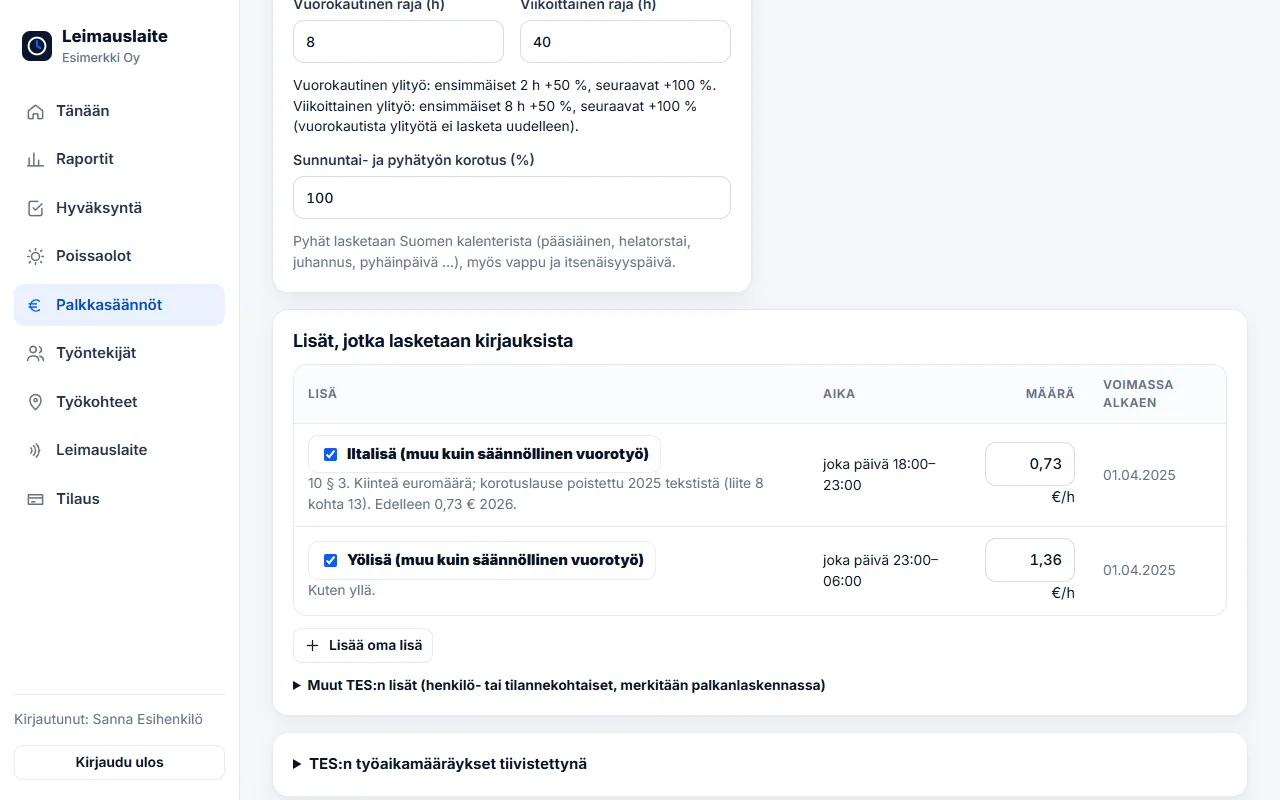
- Sunday, public-holiday and evening work. The property services collective agreement's supplements and Sunday work as pay types.
- On-call work made visible. Evening and weekend call-outs are recorded in the same report – nothing goes unrecorded.
- Billing by property. Report by property for the property manager or for invoicing.
- Mileage allowances. Service drives are recorded with their routes by phone – calculated at €0.55/km (2026).
Collective agreement and pay types
Collective agreement for employees in the property services sector
01.04.2025–31.03.2028 · Overtime over 8 h / day and 40 h / week · Sun/public holiday +100%
- Evening supplement (other than regular shift work): €0.73/h (every day 18:00–23:00)
- Night supplement (other than regular shift work): €1.36/h (every day 23:00–06:00)
Onboarding in 15 minutes
- Create a free account, add work sites and link NFC tags to them.
- Add employees, choose the recording method and language – the invitation is sent by email.
- On the Pay rules page, choose the collective agreement (or the Working Hours Act) and enter hourly wages if you want euro amounts.
- At the end of the month: employees confirm, the supervisor approves and the pay types are sent as CSV to payroll.
We recommend: a time card and free text on the phone, and a punch clock at the maintenance centre. See also Property maintenance – overview.
FAQ
Is Sunday work shown separately?
Yes. The report breaks down hours worked on Sundays as well as a daily and weekly overtime estimate.
Can an employee correct a forgotten clock-in?
The employee can enter the times afterwards as text. The supervisor sees the entry method and can correct the times with reasons if necessary.
Read also
- Collective agreement rules in time tracking: pay types straight from clock-ins
- Approving and locking working hours: how to close a period correctly
- Calculating overtime and Sunday work under the Working Hours Act – examples
- Evening, night and Saturday supplements 2026: 20 collective agreements compared
- Email reminders and invitations: a forgotten clock-in no longer surprises you on payday
- Annual leave accrual and flexitime balance: how the app calculates them by law
- Part-timers, additional work and mid-week public holidays: working hours per employee
- Old timesheets, opening balances and support: how to switch time tracking systems
- Clocking in with phone NFC, five languages and a login for your accounting firm
- Shift roster under the Working Hours Act: create, publish and compare with actual hours
- Building-site personnel list and employee report to the Finnish Tax Administration directly from clock-ins
- Mileage allowance and daily allowances 2026: trips and expenses in time tracking
- Kiosk mode, projects and billing by site – and security in order
- Time tracking in staffing: hours by client for billing and payroll
- Time tracking in construction: Valtti card, building sites and the construction collective agreement
- Time tracking in cleaning: NFC tags at sites and hours by site
- Time tracking in retail: evening and Saturday supplements under the retail collective agreement
- Time tracking in restaurants: night shifts, period-based work and the MaRa collective agreement
- Time tracking in care and home services: percentage supplements and public holidays done right
- Time tracking in industry and warehouses: shifts, overtime tiers and collective agreements
- Time tracking in the office: flexitime, remote days, leave and the accounting firm
- Time tracking in transport and logistics: period-based work and terminal shifts
- Time tracking in security services: night shifts, public holidays and period-based work
Try it for free – 1–3 employees always free of charge
Add employees and work sites, choose the entry method and the hours start adding up. No card details, no commitment.