Blog · 12 Nov 2026
Approving and locking working hours: how to close a period correctly
The biggest risk in payroll is hours changing after wages have been paid. Period approval solves this: the hours are checked once, approved and locked.
Three steps
- The employee confirms. When the period ends, the employee sees the Confirm hours as correct card on the My hours page. They also receive an email reminder if the confirmation is missing.
- The supervisor approves. The Approval page shows everyone's hours, confirmations and status. One click approves one employee, or Approve all confirmed approves everyone at once.
- The period is locked. Entries cannot be added to or changed in an approved period. If a correction is needed, the supervisor reopens the period and enters a reason – the reopening stays in the history.
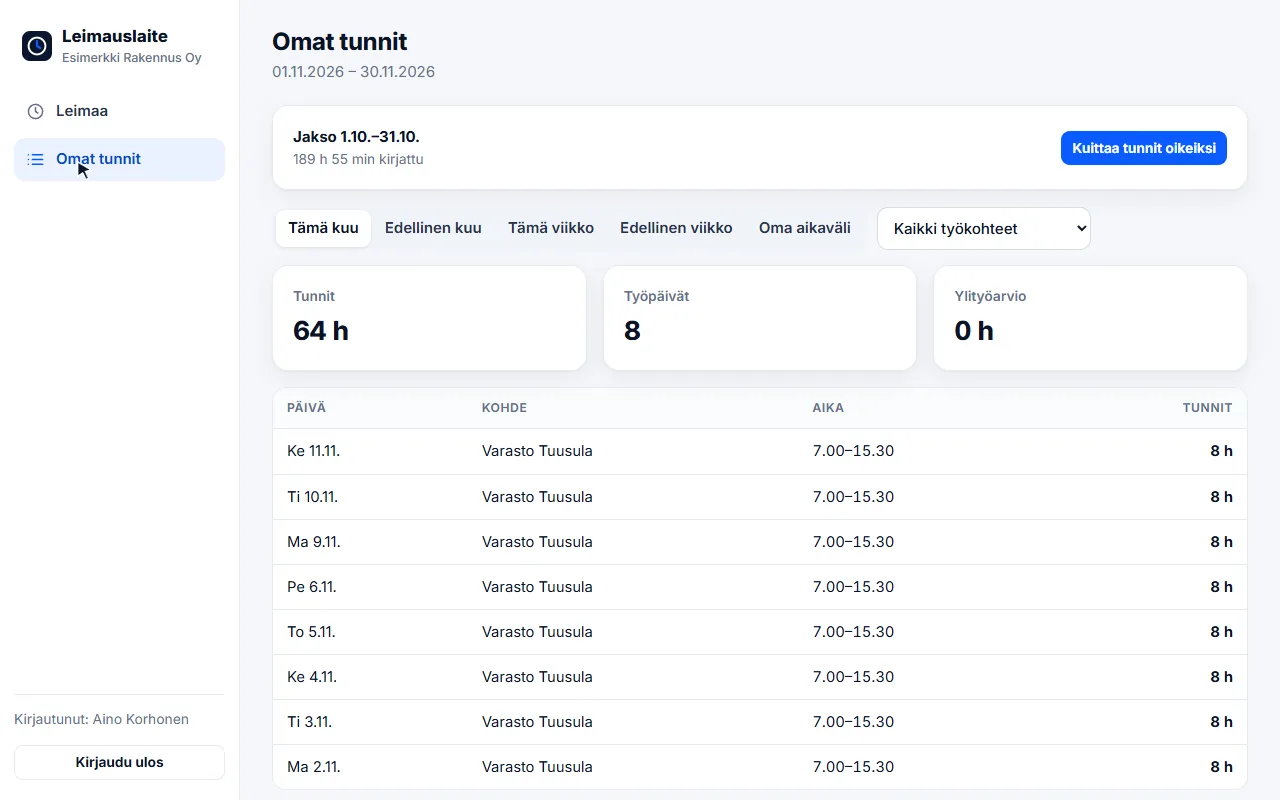
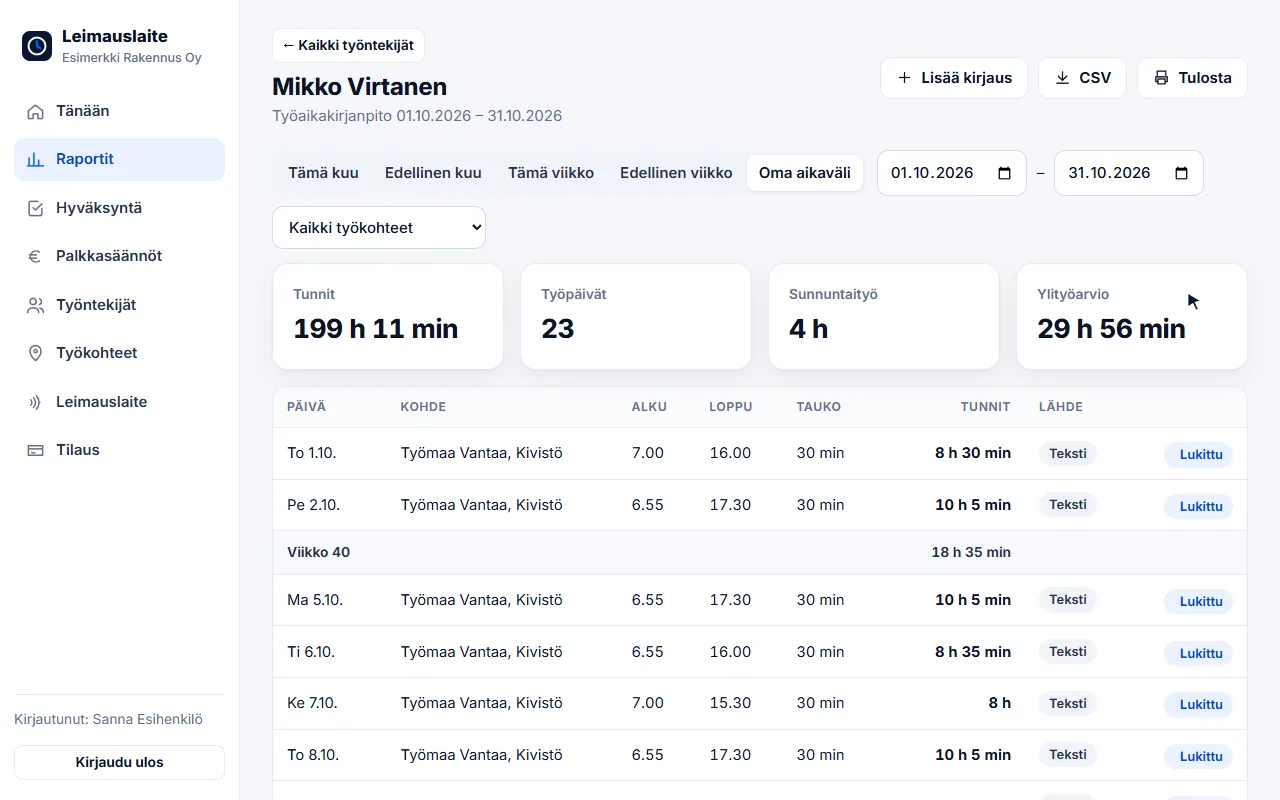
Week or month?
The approval period is chosen in the company settings: calendar month suits monthly payroll, week (Mon–Sun) suits, for example, fortnightly pay or temporary agency work. A period can be confirmed and approved only once it has ended, and it must not contain an open clock-in.
Why is locking important?
- The payroll administrator always calculates from the same hours the supervisor approved
- The employee's confirmation reduces disputes after the fact
- Approved minutes are saved – any later change is visible immediately
- Reopenings and approvals are saved in the history: who, when and why
Section 32 of the Working Hours Act requires the employer to record the hours worked and the compensation paid for them, per employee. An approved and locked period is a reliable basis for these records – read more about working-time records.
FAQ
Can an approved period be reopened?
Yes. The supervisor reopens the period and enters a reason. The reopening and the reason are saved in the history, and the period is approved again after the correction.
Does the employee have to confirm before approval?
No, it is not mandatory. The supervisor can also approve the period without confirmation, but the confirmation is shown in the approval view and reduces disputes.
Read also
- Collective agreement rules in time tracking: pay types straight from clock-ins
- Calculating overtime and Sunday work under the Working Hours Act – examples
- Evening, night and Saturday supplements 2026: 20 collective agreements compared
- Email reminders and invitations: a forgotten clock-in no longer surprises you on payday
- Annual leave accrual and flexitime balance: how the app calculates them by law
- Part-timers, additional work and mid-week public holidays: working hours per employee
- Old timesheets, opening balances and support: how to switch time tracking systems
- Clocking in with phone NFC, five languages and a login for your accounting firm
- Shift roster under the Working Hours Act: create, publish and compare with actual hours
- Building-site personnel list and employee report to the Finnish Tax Administration directly from clock-ins
- Mileage allowance and daily allowances 2026: trips and expenses in time tracking
- Kiosk mode, projects and billing by site – and security in order
- Time tracking in staffing: hours by client for billing and payroll
- Time tracking in construction: Valtti card, building sites and the construction collective agreement
- Time tracking in cleaning: NFC tags at sites and hours by site
- Time tracking in property maintenance: tags in properties and on-call duty made visible
- Time tracking in retail: evening and Saturday supplements under the retail collective agreement
- Time tracking in restaurants: night shifts, period-based work and the MaRa collective agreement
- Time tracking in care and home services: percentage supplements and public holidays done right
- Time tracking in industry and warehouses: shifts, overtime tiers and collective agreements
- Time tracking in the office: flexitime, remote days, leave and the accounting firm
- Time tracking in transport and logistics: period-based work and terminal shifts
- Time tracking in security services: night shifts, public holidays and period-based work
Try it for free – 1–3 employees always free of charge
Add employees and work sites, choose the entry method and the hours start adding up. No card details, no commitment.