Blog · 12 Nov 2026
Kiosk mode, projects and billing by site – and security in order
Once hours are recorded correctly, they also need to get onto the invoice. The latest features assign hours to projects and sites, bring an affordable kiosk to the office and shop – and tighten security.
Kiosk mode: a tablet on the wall
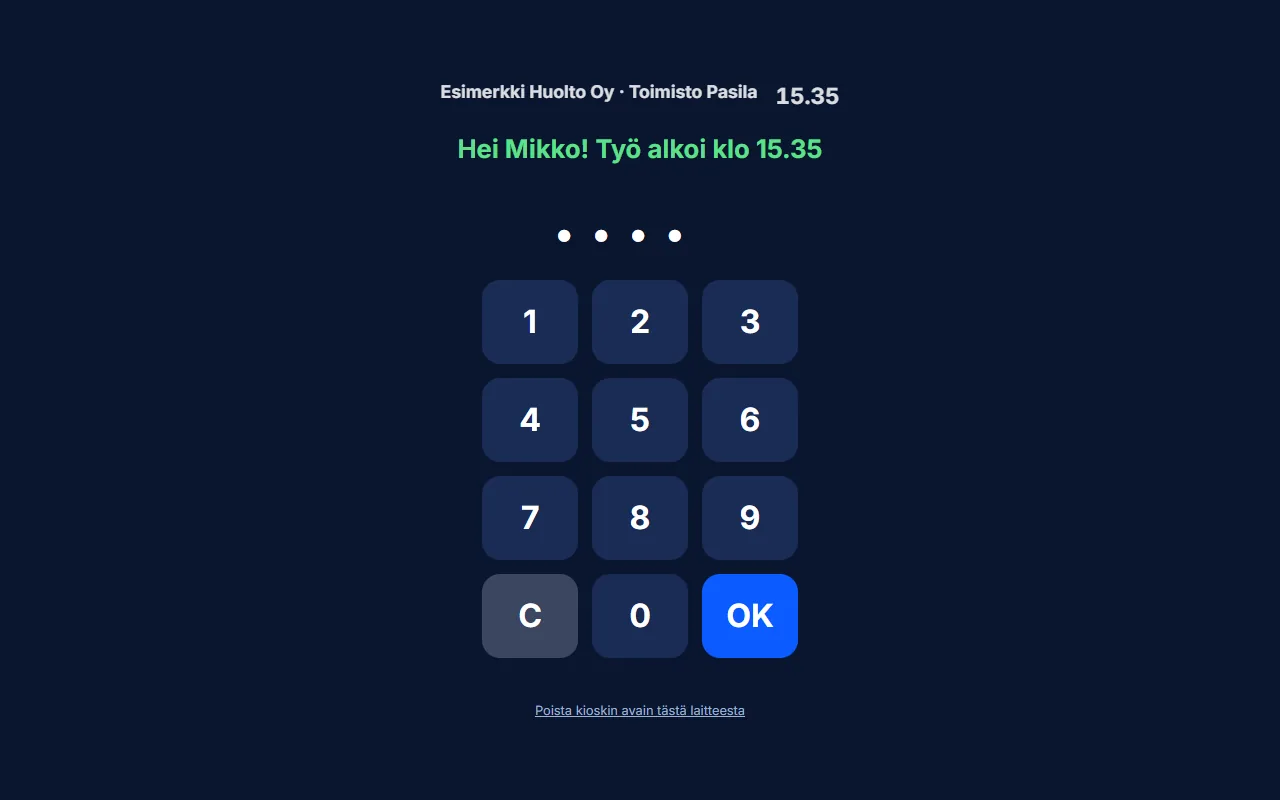
It is not always worth getting a punch clock for an office or shop. In kiosk mode, a tablet or old phone at the entrance works as a clock-in point: the employee enters their own 4–6-digit PIN code, and the first entry starts work and the next one stops it. PIN codes are stored only as hashes, and failed attempts are limited.
Projects and job numbers
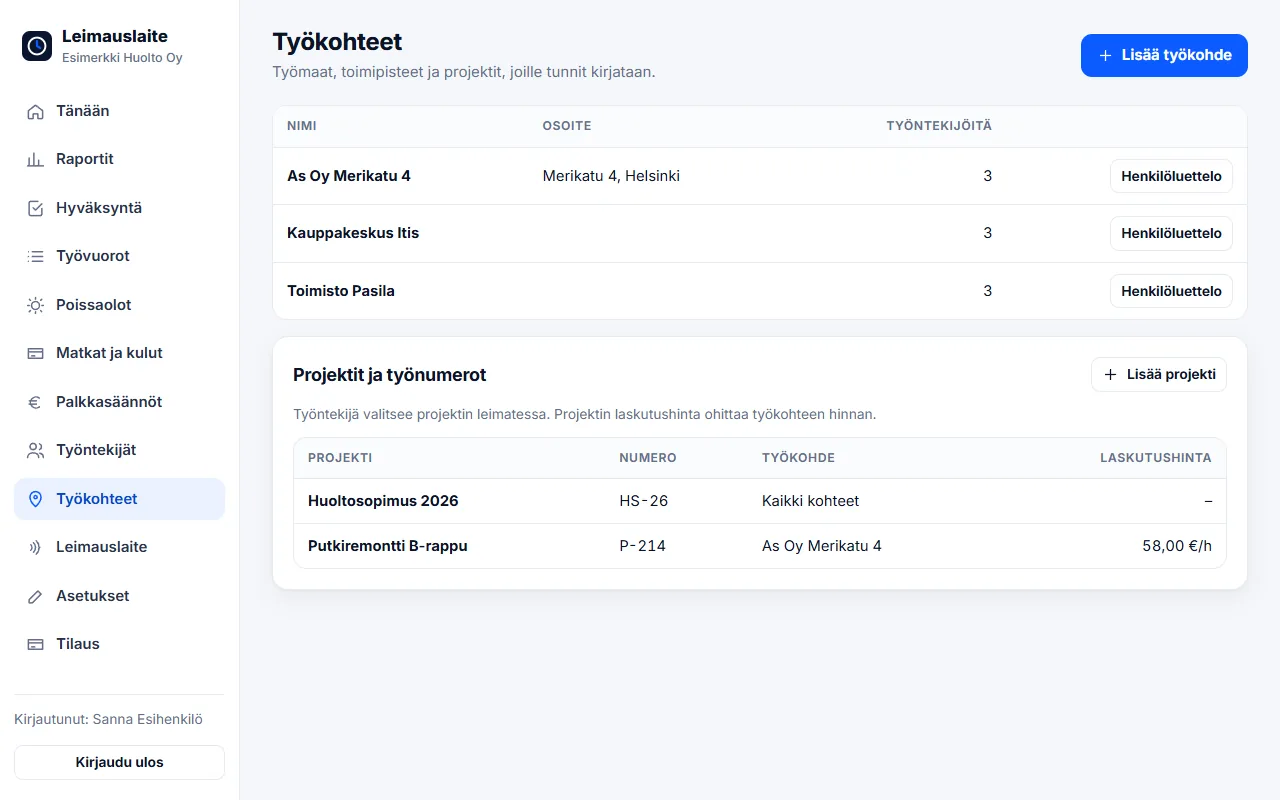
In addition to the work site, hours can be allocated to a project or job number – for example a pipe renovation, a maintenance contract or a single order. The employee chooses the project when clocking in or entering times, and the supervisor can correct it afterwards.
Billing by site
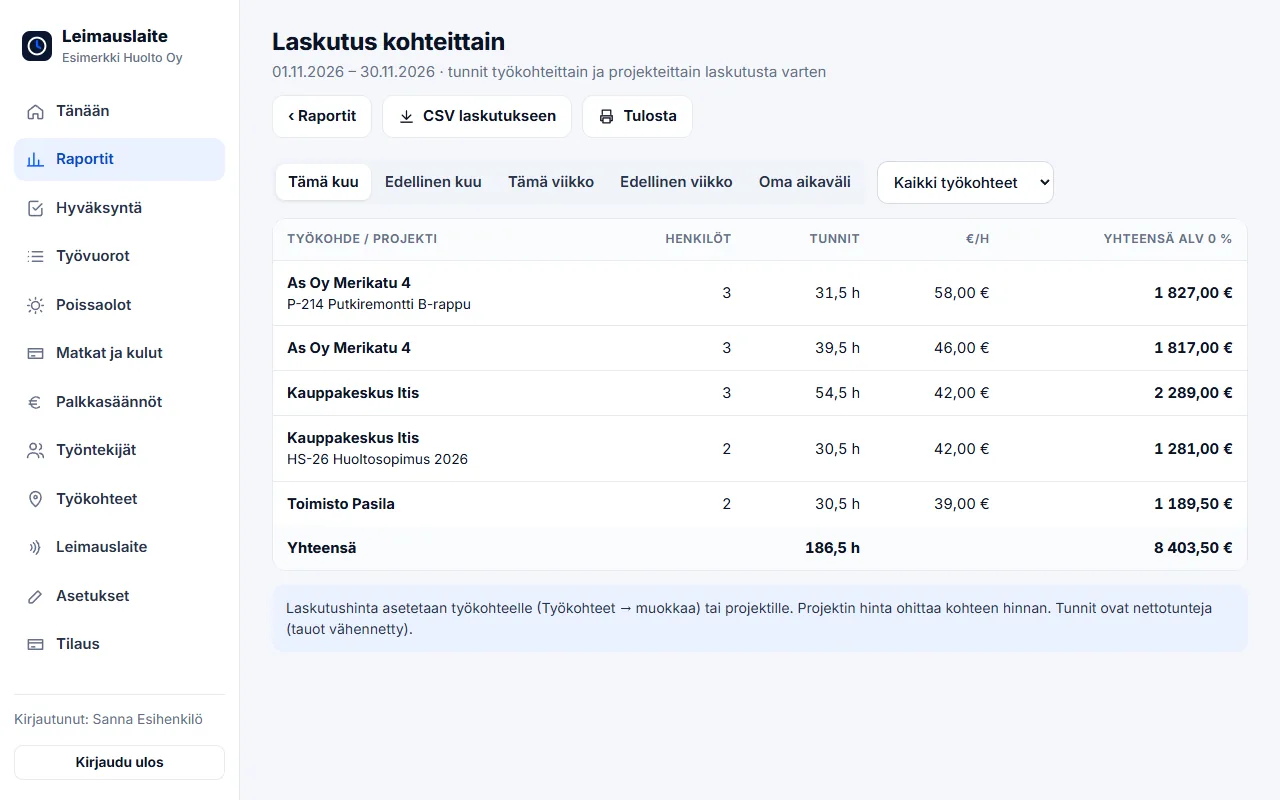
A billing rate is set for the work site or project (the project rate overrides the site rate). Reports → Billing by site calculates net hours, headcount and the total for the period – a CSV file for invoicing with one click.
Security and privacy
- Two-factor authentication: in addition to the password, a one-time code from an authenticator app (Google or Microsoft Authenticator)
- Retention periods: old records, absences, expenses and shifts are deleted automatically after the selected period (3–10 years) – at least six years for building sites
- Optional location: location is saved only at the start and stop moments, and only if the company enables it – the employee sees a notice about it
It is good practice to inform employees about location recording in advance and, where necessary, to address it in employer–employee cooperation negotiations.
FAQ
What does kiosk mode require?
A tablet or phone with a browser and an internet connection. The kiosk is activated with a device key, and employees get their own PIN codes.
Can hours be billed by project?
Yes. A billing rate is set for the work site or project, and the Billing by site report calculates the hours and amounts for the period into a CSV file.
Read also
- Collective agreement rules in time tracking: pay types straight from clock-ins
- Approving and locking working hours: how to close a period correctly
- Calculating overtime and Sunday work under the Working Hours Act – examples
- Evening, night and Saturday supplements 2026: 20 collective agreements compared
- Email reminders and invitations: a forgotten clock-in no longer surprises you on payday
- Annual leave accrual and flexitime balance: how the app calculates them by law
- Part-timers, additional work and mid-week public holidays: working hours per employee
- Old timesheets, opening balances and support: how to switch time tracking systems
- Clocking in with phone NFC, five languages and a login for your accounting firm
- Shift roster under the Working Hours Act: create, publish and compare with actual hours
- Building-site personnel list and employee report to the Finnish Tax Administration directly from clock-ins
- Mileage allowance and daily allowances 2026: trips and expenses in time tracking
- Time tracking in staffing: hours by client for billing and payroll
- Time tracking in construction: Valtti card, building sites and the construction collective agreement
- Time tracking in cleaning: NFC tags at sites and hours by site
- Time tracking in property maintenance: tags in properties and on-call duty made visible
- Time tracking in retail: evening and Saturday supplements under the retail collective agreement
- Time tracking in restaurants: night shifts, period-based work and the MaRa collective agreement
- Time tracking in care and home services: percentage supplements and public holidays done right
- Time tracking in industry and warehouses: shifts, overtime tiers and collective agreements
- Time tracking in the office: flexitime, remote days, leave and the accounting firm
- Time tracking in transport and logistics: period-based work and terminal shifts
- Time tracking in security services: night shifts, public holidays and period-based work
Try it for free – 1–3 employees always free of charge
Add employees and work sites, choose the entry method and the hours start adding up. No card details, no commitment.