Time tracking for property maintenance
In property maintenance, the day consists of many sites and on-call duties. Hours are recorded by property on the phone, and evening and weekend work stands out in the report.
- 1–3 employees free
- No card details
Sound familiar?
- On-call and weekend hours go unrecorded
- Invoicing by property requires manual work
- Employees are on the move all day
How it is solved
- Properties as work sites – the employee selects the site on the phone
- Text entry at the end of the day if a clock-in was forgotten
- An NFC tag at every property
- Sunday and public holiday work as pay types according to the collective agreement
- Report by property for invoicing
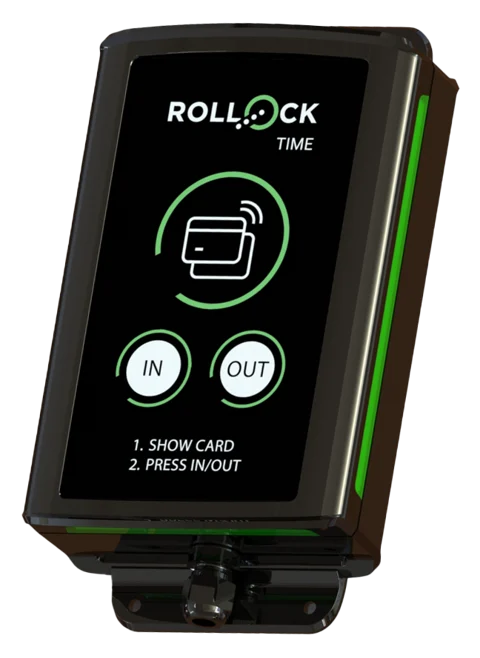
We recommend: the time card and free text on the phone, a punch clock at the maintenance centre.
What property maintenance needs
A tag at every property
The maintenance worker clocks in by tapping the property's NFC tag – hours by property without any selections.
Entry afterwards
If a clock-in was forgotten, the times are entered as text in the evening. The supervisor sees the entry method.
Sunday, public holiday and evening work
Property services collective agreement supplements and Sunday work as pay types.
On-call duties made visible
Evening and weekend call-outs are recorded in the same report – nothing goes unrecorded.
Invoicing by property
Report by property for the property manager or for invoicing.
Mileage allowances
Maintenance drives are recorded with their routes on the phone – €0.55/km (2026) calculated in advance.
A typical day
During the day, a maintenance worker visits four housing companies. Each housing company's maintenance room has an NFC tag, and tapping it starts and ends work at the right property. A Sunday water leak call-out is recorded as Sunday work, and at the end of the month a report by property is sent to the property manager.
Collective agreement built in
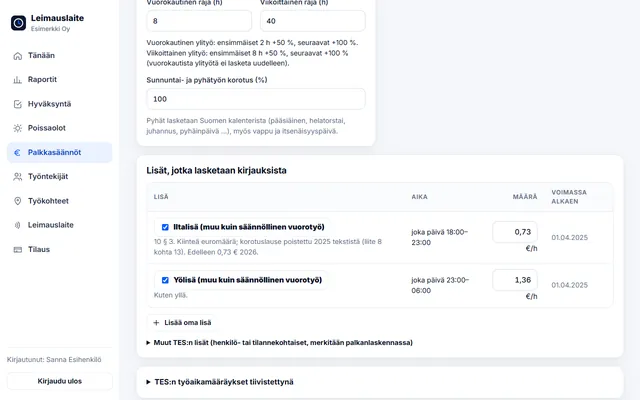
Choose the collective agreement and pay types are calculated from the clock-ins. The euro amounts can be edited. Read about collective agreement rules.
Collective agreement for employees in the property services sector
01.04.2025–31.03.2028 · Overtime over 8 h / day and 40 h / week · Sun/public holiday +100%
- Evening supplement (other than regular shift work): €0.73/h (every day 18:00–23:00)
- Night supplement (other than regular shift work): €1.36/h (every day 23:00–06:00)
Try it yourself – click to start work
The real app with sample data. Switch roles in the top bar and view the report by employee and by site.
The demo runs only in this browser, and no data is sent anywhere. Open the demo full screen →
Questions: property maintenance
Is Sunday work shown separately?
Yes. The report breaks down hours worked on Sundays as well as a daily and weekly overtime estimate.
Can an employee correct a forgotten clock-in?
The employee can enter the times afterwards as text. The supervisor sees the entry method and can correct the times with reasons if necessary.
Other industries:
Try it for free – 1–3 employees always free of charge
Add employees and work sites, choose the entry method and the hours start adding up. No card details, no commitment.