How it works: five ways to clock in
Clock in in the browser, with a phone, with an NFC reader on a computer, with a tablet on the wall or with the Rollock TIME punch clock. All clock-ins go to the same app, where hours are calculated according to the collective agreement.
| Method | What you need |
|---|---|
| In the browser – on a computer, tablet or phone | No hardware purchases · €0 |
| Phone + NFC tag at the work site | NFC tag or key fob at the work site |
| Computer + USB NFC reader | USB NFC reader €150 · no monthly fee |
| Android tablet on the wall – the tablet's own NFC reader | Tablet with NFC + NTAG key fobs · no monthly fee |
| Rollock TIME punch clock + key fob | Device from €975 + €10/mo · pre-installed SIM €15/mo |
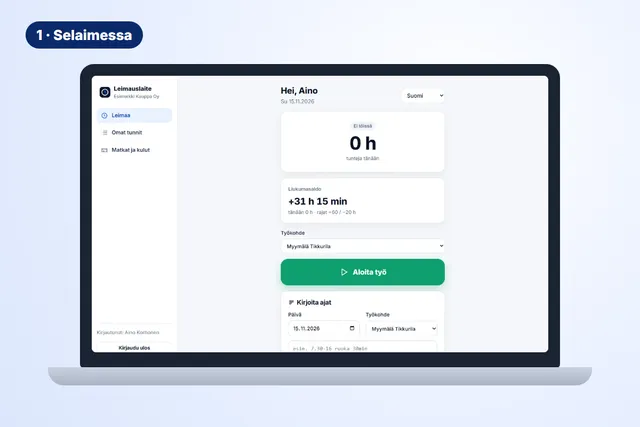
Option 1 · No hardware purchases · €0
In the browser – on a computer, tablet or phone
The employee opens leimauslaite.fi/app, selects the work site and presses Start work. In the evening, Stop. Forgotten clock-ins can be typed in freely, for example Mon 7:30-16 lunch 30min.
How to get started
- Invite employees by email – they create their own password
- The employee selects the work site and presses Start / Stop
- Hours, flexitime balance and pay types are calculated immediately
Best for: Office work, remote work and customer visits. Works on all devices, including iPhone.
Option 2 · NFC tag or key fob at the work site
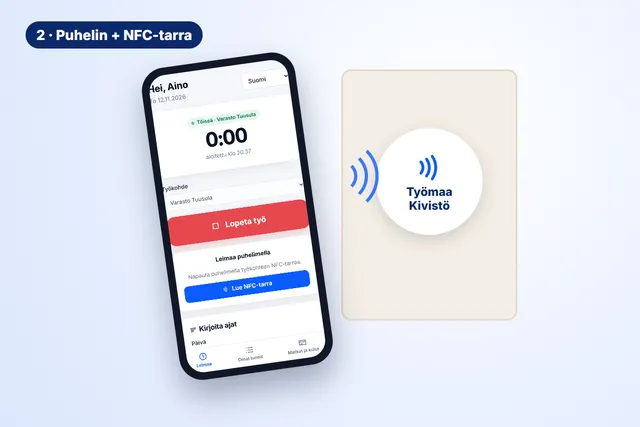
Phone + NFC tag at the work site
An NFC tag is attached at the work site. The employee taps it with an Android phone: the first tap starts work at exactly that site, the next one stops it. The site can't be selected wrongly.
How to get started
- Attach the tag at the work site and link it to the site in the app
- The employee opens the app and taps the tag with the phone
- The clock-in is recorded for the right site and is visible to the supervisor immediately
Best for: Cleaning, maintenance and property services – many sites a day. Chrome browser on an Android phone; on iPhone, employees clock in with a button.
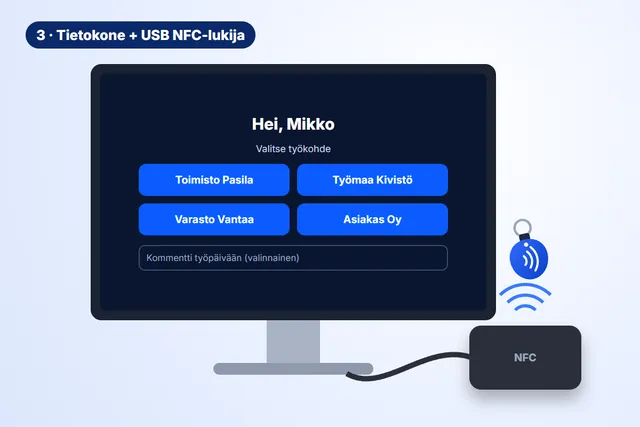
Option 3 · USB NFC reader €150 · no monthly fee
Computer + USB NFC reader
A computer in the office or warehouse becomes a clock-in point. The USB reader is plugged into the computer and the app is opened in kiosk mode. The employee shows their own key fob to the reader – the app identifies them and shows their work sites and a comment field.
How to get started
- Plug the reader into a USB port – no drivers needed
- Add a kiosk in the app (Punch clock → Add device → Kiosk) and open it on the computer
- Link key fobs to employees by showing them to the reader
Best for: Offices, warehouses and production with a computer already at the entrance. A PIN code works as a backup if the key fob is forgotten.
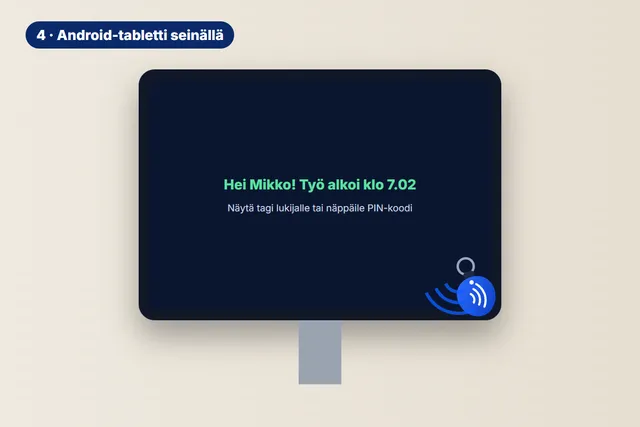
Option 4 · Tablet with NFC + NTAG key fobs · no monthly fee
Android tablet on the wall – the tablet's own NFC reader
An Android tablet mounted on the wall works as a punch clock: the employee touches the tablet with a key fob, and the app identifies them with the tablet's own NFC reader. No separate reader is needed.
How to get started
- Mount the tablet in a wall bracket and connect the charger
- Open the app in kiosk mode in the Chrome browser and select Use this tablet's NFC reader
- The employee touches the tablet with a key fob – work starts or stops
Best for: Small premises, shops and restaurants.
Mind the NFC reader position: the reader is inside the tablet and its position varies by model. Choose a wall mount that does not cover the reader, and mark the tap point with a sticker so employees hit it on the first try.
Other models with NFC: Samsung Galaxy Tab Active5 Pro (10.1") and Lenovo ThinkTab X11 (11").
Before buying, check that the model has NFC. Ordinary consumer tablets often don't.
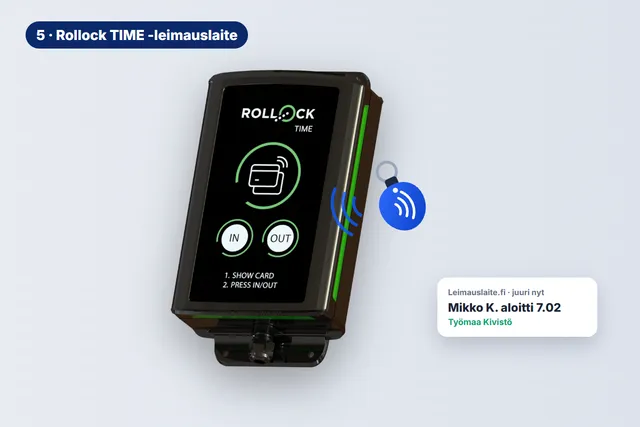
Option 5 · Device from €975 + €10/mo · pre-installed SIM €15/mo
Rollock TIME punch clock + key fob
A Finnish 4G punch clock for building sites, warehouses or production. The device only needs power and a SIM card – the SIM can come pre-installed. The employee shows a key fob or Valtti card and presses IN or OUT.
How to get started
- Mount the device on the wall and connect power – pre-installed SIM or your own subscription
- Link key fobs and Valtti cards to employees
- Clock-ins are transferred to the Leimauslaite.fi app for payroll
Best for: Building sites and large premises where many employees clock in at the same place.
The device's connection to Rollock's cloud service is enabled after Rollock's approval. Ask us for the current status.
Questions about clock-in methods
Can different methods be used in the same company?
Yes. The clock-in method is chosen per employee: the same employee can clock in on the punch clock at the building site and in the browser at the office. All clock-ins go to the same app.
Does every employee need a key fob?
With the computer and tablet kiosks and the punch clock, everyone has their own key fob (or a Valtti card on the punch clock). In the browser and on the phone, employees clock in with their own credentials, without a key fob.
Does the tablet's NFC work with all key fobs?
No. The tablet only reads NTAG-type key fobs and tags. Previously delivered MIFARE key fobs and Valtti cards do not work with the tablet's NFC, but they do work with the USB NFC reader and the Rollock TIME punch clock. Order NTAG key fobs for tablet use.
What do key fobs cost?
€10/pc, 50 pcs €9/pc, 100 pcs €8/pc and 200 pcs or more €7/pc (excl. VAT).
Start in the browser today
Free for 1–3 employees. Add a reader, tablet or punch clock whenever you need one.